Secure access to MCP servers
Control access or route traffic based on verified claims in a JSON web token (JWT).
About MCP auth
In this guide, you learn how to configure your agentgateway proxy to validate JWT tokens that are provided in an Authorization header. You then authorize access to specific MCP tools based on specific claims in the JWT.
The following diagram shows the components that are involved when performing JWT validation and authorization with MCP servers:
  sequenceDiagram
    autonumber
    Client->>+Agentgateway: Send request with JWT
    Agentgateway->>Agentgateway: Validate JWT token
    Agentgateway->>Agentgateway: Authorize access to MCP server
    Agentgateway->>+MCP: Forward request
- The MCP client, such as the MCP inspector tool, sends a request to the agentgateway proxy with the JWT token in the
Authorizationheader. - The agentgateway proxy validates the JWT with the JWKS server that you define in the AgentgatewayPolicy resource. This policy is applied to the agentgateway proxy.
- If the AgentgatewayPolicy further defines RBAC rules, such as to only grant access for JWT tokens with certain claims, the agentgateway proxy validates these claims and either grants or denies access.
- If successfully validated and authorized, the agentgateway proxy forwards the request to the MCP backend.
Before you begin
- Set up an agentgateway proxy.
- Follow the steps to connect to the remote GitHub MCP server via HTTPS.
Validate JWT tokens
You can configure your agentgateway proxy to validate JWT tokens that are sent by an MCP client in an Authorization header.
-
Create an AgentgatewayPolicy with your JWT validation rules and apply it to the agentgateway proxy that you created before you began. In this example, you use an inline, local JSON Web Key Set (JWKS) to verify the JWT.
kubectl apply -f- <<EOF
apiVersion: agentgateway.dev/v1alpha1
kind: AgentgatewayPolicy
metadata:
  name: jwt
  namespace: agentgateway-system
spec:
  targetRefs:
    - group: gateway.networking.k8s.io
      kind: Gateway
      name: agentgateway-proxy
  traffic:
    jwtAuthentication:
      mode: Strict
      providers:
        - issuer: solo.io
          jwks:
            inline: '{"keys":[{"use":"sig","kty":"RSA","kid":"5891645032159894383","n":"5Zb1l_vtAp7DhKPNbY5qLzHIxDEIm3lpFYhBTiZyGBcnre8Y8RtNAnHpVPKdWohqhbihbVdb6U7m1E0VhLq7CS7k2Ng1LcQtVN3ekaNyk09NHuhl9LCgqXT4pATt6fYTKtZ__tEw4XKt3QqVcw7hV0YaNVC5xXGYVBh5_2-K5aW9u2LQ7FSax0jPhWdoUB3KbOQfWNOA3RwOqYn4gmc9wVToVLv6bXCVhIYWKnAVcX89C00eM7uBHENvOydD14-ZnLb4pzz2VGbU6U65odpw_i4r_mWXvoUgwogXAXp80TsYwMzLHcFo4GVDNkaH0hjuLJCeISPfYtbUJK6fFaZGBw","e":"AQAB","x5c":["MIIC3jCCAcagAwIBAgIBJTANBgkqhkiG9w0BAQsFADAXMRUwEwYDVQQKEwxrZ2F0ZXdheS5kZXYwHhcNMjUxMjE4MTkzNDQyWhcNMjUxMjE4MjEzNDQyWjAXMRUwEwYDVQQKEwxrZ2F0ZXdheS5kZXYwggEiMA0GCSqGSIb3DQEBAQUAA4IBDwAwggEKAoIBAQDllvWX++0CnsOEo81tjmovMcjEMQibeWkViEFOJnIYFyet7xjxG00CcelU8p1aiGqFuKFtV1vpTubUTRWEursJLuTY2DUtxC1U3d6Ro3KTT00e6GX0sKCpdPikBO3p9hMq1n/+0TDhcq3dCpVzDuFXRho1ULnFcZhUGHn/b4rlpb27YtDsVJrHSM+FZ2hQHcps5B9Y04DdHA6pifiCZz3BVOhUu/ptcJWEhhYqcBVxfz0LTR4zu4EcQ287J0PXj5mctvinPPZUZtTpTrmh2nD+Liv+ZZe+hSDCiBcBenzROxjAzMsdwWjgZUM2RofSGO4skJ4hI99i1tQkrp8VpkYHAgMBAAGjNTAzMA4GA1UdDwEB/wQEAwIFoDATBgNVHSUEDDAKBggrBgEFBQcDATAMBgNVHRMBAf8EAjAAMA0GCSqGSIb3DQEBCwUAA4IBAQBeA8lKrnfRjo18RkLBqVKuO441nZLFGKrJwpJu+G5cVOJ06txKsZEXE3qu2Yh9abeOJkC+SsWMELWHYNJlip4JGE0Oby7chol+ahrwBILUixBG/qvhwJG6YntoDZi0wbNFqQiQ6FZt89awcs2pdxL5thYR/Pqx4QXN8oKd4DNkcX5vWdz9P6nstLUmrEBV4EFs7fY0L/n3ssDvyZ3xfpM1Q/CQFz4OqB4U20+Qt6x7eap6qhTSBZt8rZWIiy57BsSww12gLYYU1x+Klg1AdPsVrcuvVdiZM1ru232Ihip0rYH7Mf7vcN+HLUrjpXvMoeyWRwbB61GPsXz+BTksqoql"]}]}'
EOF
Review the following table to understand this configuration. For more information, see the API docs.
Field Description issuerThe principal that issued the JWT, usually a URL or an email address. If specified, the issfield in the JWT of the incoming request must match this field, or else the request is denied. If omitted, theissfield in the JWT is not checked.jwksThe JSON Web Key Set (JWKS) to use to verify the JWT. In this example, a local JWKS is provided inline. To use JWTs with agentgateway, make sure that the JWTs return Key ID ( kid) and expiration date (exp) values in the JWT header. -
Save the JWT tokens for the users Alice and Bob. You can optionally create other JWT tokens by using the JWT generator tool. Note that to use JWTs with agentgateway proxies, make sure that the JWTs return Key ID (
kid) and expiration date (exp) values in the JWT header.-
Save the JWT token for Alice. Alice works in the
devteam.export ALICE_JWT="eyJhbGciOiJSUzI1NiIsImtpZCI6IjU4OTE2NDUwMzIxNTk4OTQzODMiLCJ0eXAiOiJKV1QifQ.eyJpc3MiOiJzb2xvLmlvIiwic3ViIjoiYWxpY2UiLCJleHAiOjIwNzM2NzA0ODIsIm5iZiI6MTc2NjA4NjQ4MiwiaWF0IjoxNzY2MDg2NDgyfQ.C-KYZsfWwlwRw4cKHXWmjN5bwWD80P0CVYP6-mT5sX6BH3AR1xNrOApPF9X0plwVD4_AsWzVo435j1AmgBzPwIjhHPKtxXycaKEwSEHYFesyi-XCEJtaQZZVcjOJOs-12L2ZJeM_csk9EqKKSx0oj3jj6BciqBnLn6_hK9sEtoGenEVWEdOpkjRQBxk1m-rVZNY2IvxXMuj9C7jGXv_Sn3cU5w6arXWUsdoQtYTl5tmuF15nkD3DnQfLjDyz59FTKXUR_QkhXV81amejrDSTroJ42_RLC9ABXqdMORCe-Hus-f1utLURfAYGvmnEVeYJO8BFhedTR6lFLnVS0u2Fpw" -
Save the JWT token for Bob. Bob works in the
opsteam.export BOB_JWT="eyJhbGciOiJSUzI1NiIsImtpZCI6IjU4OTE2NDUwMzIxNTk4OTQzODMiLCJ0eXAiOiJKV1QifQ.eyJpc3MiOiJzb2xvLmlvIiwic3ViIjoiYm9iIiwiZXhwIjoyMDczNjcwNDgyLCJuYmYiOjE3NjYwODY0ODIsImlhdCI6MTc2NjA4NjQ4Mn0.ZHAw7nbANhnYvBBknN9_ORCQZ934Vv_vAelx8odC3bsC5Yesif7ZSsnEp9zFjGG6wBvvV3LrtuBuWx9mTYUZS6rwWUKsvDXyheZXYRmXndOqpY0gcJJaulGGqXncQDkmqDA7ZeJLG1s0a6shMXRs6BbV370mYpu8-1dZdtikyVL3pC27QNei35JhfqdYuMw1fMptTVzypx437l9j2htxqtIVgdWUc1iKD9kNKpkJ5O6SNbi6xm267jZ3V_Ns75p_UjLq7krQIUl1W0mB0ywzosFkrRcyXsBsljXec468hgHEARW2lec8FEe-i6uqRuVkFD-AeXMfPhXzqdwysjG_og"
-
-
Send an unauthenticated request to the MCP server.
- Send a request to the MCP server.
npx @modelcontextprotocol/[email protected] \ --cli http://localhost:8080/mcp-github \ --transport http \ --header "mcp-protocol-version: 2024-11-05" \ --method tools/call \ --tool-name get_me - Verify that the request fails, because no JWT token was provided.
Failed to connect to MCP server: Streamable HTTP error:
Error POSTing to endpoint: authentication failure: no bearer token found
-
From the terminal, run the MCP Inspector command. Then, the MCP Inspector opens in your browser. If the MCP inspector tool does not open automatically, run
mcp-inspector.npx modelcontextprotocol/inspector#0.17.5 -
From the MCP Inspector menu, try to connect to your agentgateway address as follows:
- Transport Type: Select
Streamable HTTP. - URL: Enter the agentgateway address, port, and the
/mcp-githubpath. If your agentgateway proxy is exposed with a LoadBalancer server, usehttp://<lb-address>:8080/mcp-github. In local test setups where you port-forwarded the agentgateway proxy on your local machine, usehttp://localhost:8080/mcp-github. - Click Connect.
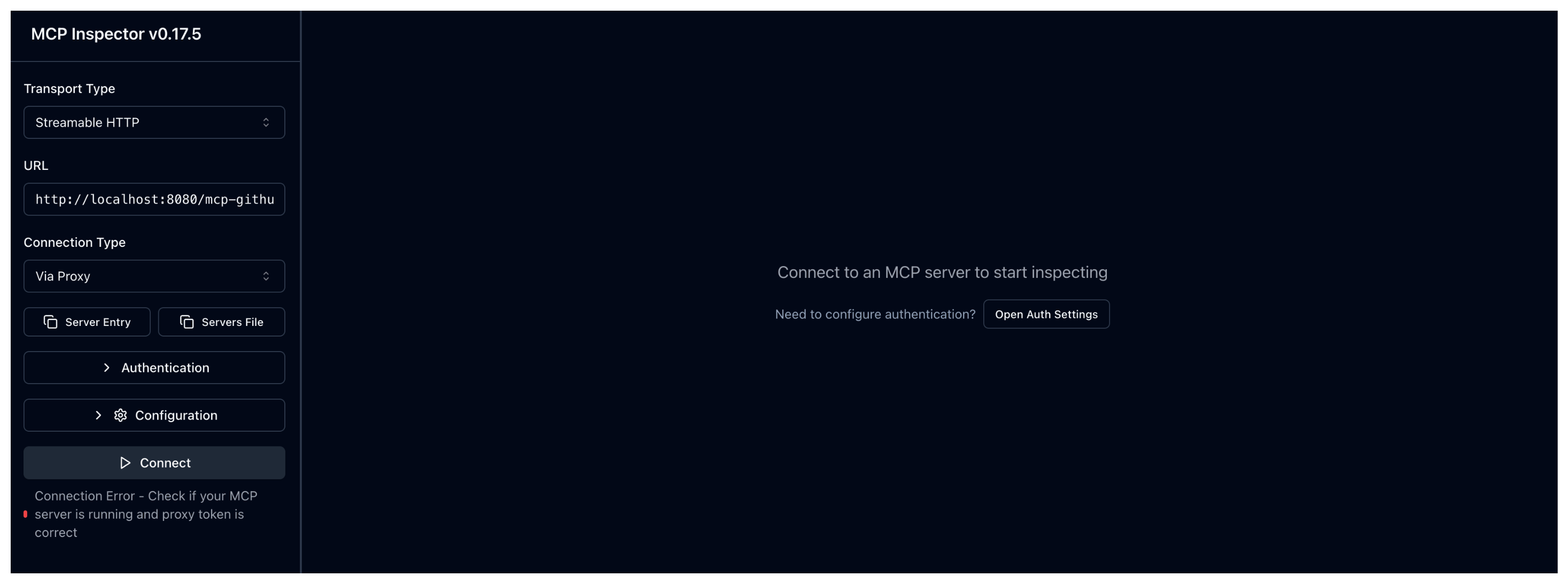
Connection Error - Check if your MCP server is running and proxy token is correct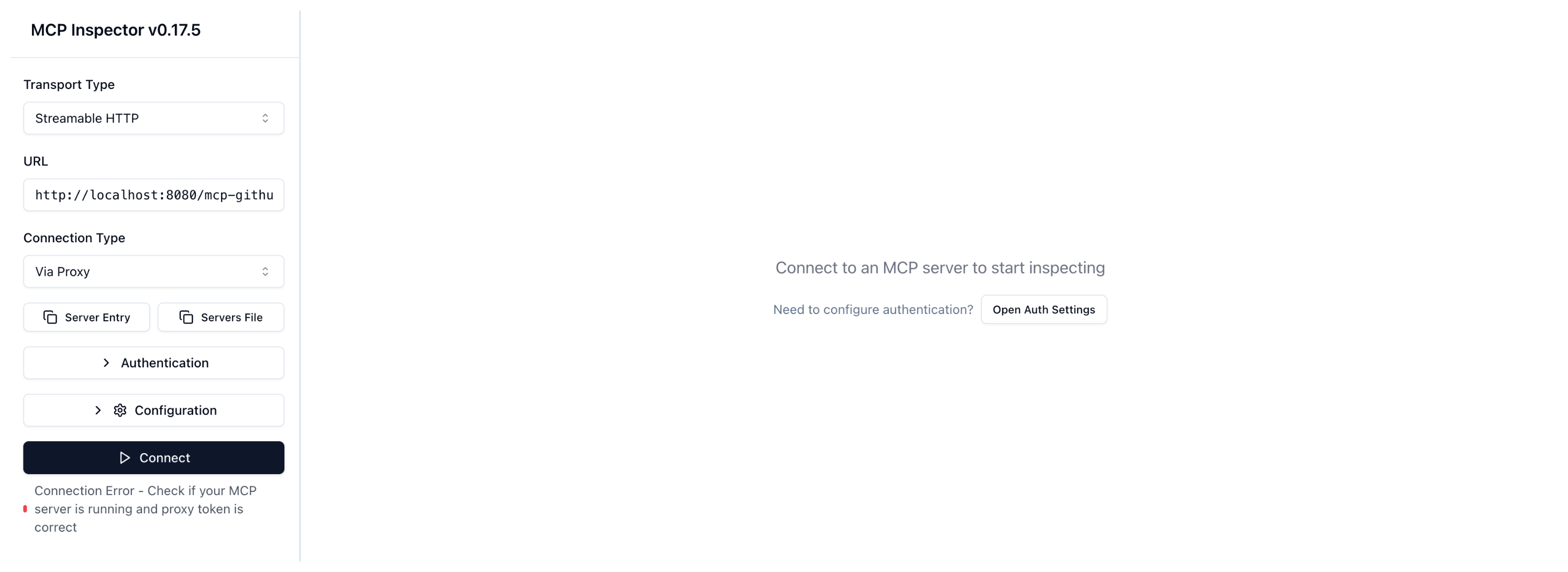
- Transport Type: Select
- Send a request to the MCP server.
-
Send another request to the MCP server. This time, you provide a valid JWT token for Alice in the
Authorizationheader.npx @modelcontextprotocol/[email protected] \ --cli http://localhost:8080/mcp-github \ --transport http \ --header "mcp-protocol-version: 2024-11-05" \ --method tools/call \ --tool-name get_me \ --header "Authorization: Bearer $ALICE_JWT"Verify that the connection succeeds and that you see the GitHub user output.
{ "content": [ { "type": "text", "text": "{\"login\":\"MyUser\",\"id\":11234567,\"profile_url\":\"https://github.com/MyUser\",\"avatar_url\":\"https://avatars.githubusercontent.com/u/11234567?v=4\",\"details\":{\"name\":\"My User\",\"company\":\"Solo.io\",\"public_repos\":11,\"public_gists\":1,\"followers\":1,\"following\":0,\"created_at\":\"2016-03-07T18:33:49Z\",\"updated_at\":\"2025-12-08T19:38:04Z\"}}" } ] }-
Go back to the MCP Inspector tool and expand the Authentication section. Enter the following details in the API Token Authentication card:
- Header Name: Enter
Authorization. - Bearer Token: Enter the JWT token for Alice.
Bearer eyJhbGciOiJSUzI1NiIsImtpZCI6IjU4OTE2NDUwMzIxNTk4OTQzODMiLCJ0eXAiOiJKV1QifQ.eyJpc3MiOiJzb2xvLmlvIiwic3ViIjoiYWxpY2UiLCJleHAiOjIwNzM2NzA0ODIsIm5iZiI6MTc2NjA4NjQ4MiwiaWF0IjoxNzY2MDg2NDgyfQ.C-KYZsfWwlwRw4cKHXWmjN5bwWD80P0CVYP6-mT5sX6BH3AR1xNrOApPF9X0plwVD4_AsWzVo435j1AmgBzPwIjhHPKtxXycaKEwSEHYFesyi-XCEJtaQZZVcjOJOs-12L2ZJeM_csk9EqKKSx0oj3jj6BciqBnLn6_hK9sEtoGenEVWEdOpkjRQBxk1m-rVZNY2IvxXMuj9C7jGXv_Sn3cU5w6arXWUsdoQtYTl5tmuF15nkD3DnQfLjDyz59FTKXUR_QkhXV81amejrDSTroJ42_RLC9ABXqdMORCe-Hus-f1utLURfAYGvmnEVeYJO8BFhedTR6lFLnVS0u2Fpw - Click Connect.
- Header Name: Enter
-
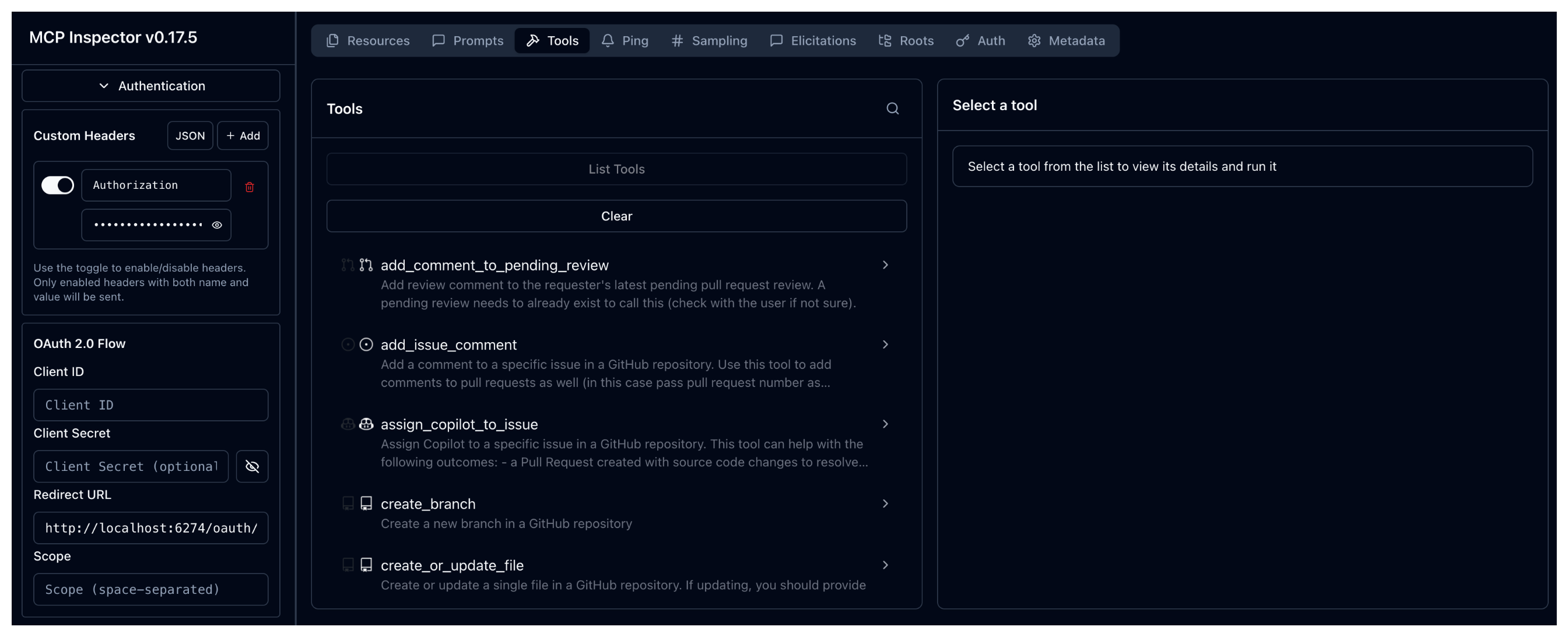
Verify that the connection now succeeds because a valid token was provided in an
Authorizationheader to your agentgateway proxy: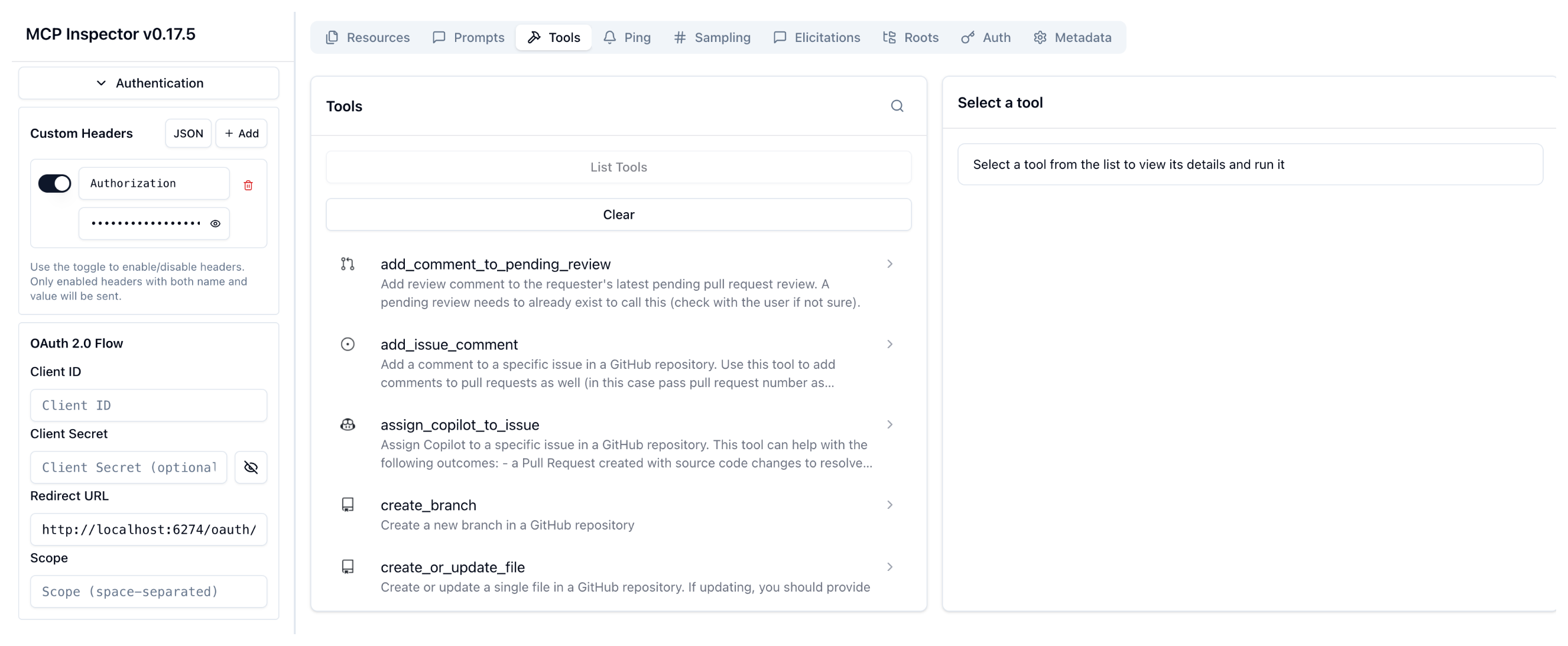
-
-
Repeat the same request with the JWT token for Bob. Verify that you can also connect to your MCP server successfully.
npx @modelcontextprotocol/[email protected] \
--cli http://localhost:8080/mcp-github \
--transport http \
--header "mcp-protocol-version: 2024-11-05" \
--method tools/call \
--tool-name get_me \
--header "Authorization: Bearer $BOB_JWT"
Verify that the connection also succeeds and that you see the GitHub user output.
{ "content": [ { "type": "text", "text": "{\"login\":\"MyUser\",\"id\":11234567,\"profile_url\":\"https://github.com/MyUser\",\"avatar_url\":\"https://avatars.githubusercontent.com/u/11234567?v=4\",\"details\":{\"name\":\"My User\",\"company\":\"Solo.io\",\"public_repos\":11,\"public_gists\":1,\"followers\":1,\"following\":0,\"created_at\":\"2016-03-07T18:33:49Z\",\"updated_at\":\"2025-12-08T19:38:04Z\"}}" } ] }-
Go back to the MCP Inspector tool and expand the Authentication section. Enter the following details in the API Token Authentication card:
- Header Name: Enter
Authorization. - Bearer Token: Enter the JWT token for Bob.
Bearer eyJhbGciOiJSUzI1NiIsImtpZCI6IjU4OTE2NDUwMzIxNTk4OTQzODMiLCJ0eXAiOiJKV1QifQ.eyJpc3MiOiJzb2xvLmlvIiwic3ViIjoiYm9iIiwiZXhwIjoyMDczNjcwNDgyLCJuYmYiOjE3NjYwODY0ODIsImlhdCI6MTc2NjA4NjQ4Mn0.ZHAw7nbANhnYvBBknN9_ORCQZ934Vv_vAelx8odC3bsC5Yesif7ZSsnEp9zFjGG6wBvvV3LrtuBuWx9mTYUZS6rwWUKsvDXyheZXYRmXndOqpY0gcJJaulGGqXncQDkmqDA7ZeJLG1s0a6shMXRs6BbV370mYpu8-1dZdtikyVL3pC27QNei35JhfqdYuMw1fMptTVzypx437l9j2htxqtIVgdWUc1iKD9kNKpkJ5O6SNbi6xm267jZ3V_Ns75p_UjLq7krQIUl1W0mB0ywzosFkrRcyXsBsljXec468hgHEARW2lec8FEe-i6uqRuVkFD-AeXMfPhXzqdwysjG_og - Click Connect.
- Header Name: Enter
-
Verify that you can also connect to your MCP server successfully.
-
-
Try to enter an invalid JWT token, such as
abcdefg. Verify that access to the MCP server is denied, because the JWT token could not be validated by your agentgateway proxy.npx @modelcontextprotocol/[email protected] \ --cli http://localhost:8080/mcp-github \ --transport http \ --header "mcp-protocol-version: 2024-11-05" \ --method tools/call \ --tool-name get_me \ --header "Authorization: Bearer abcdefg"Verify that the connection fails, because no valid JWT token was provided.
Failed to connect to MCP server: Streamable HTTP error: Error POSTing to endpoint: authentication failure: the token header is malformed: Error(InvalidToken)-
Go back to the MCP Inspector tool and expand the Authentication section. Enter the following details in the API Token Authentication card:
- Header Name: Enter
Authorization. - Bearer Token: Enter the JWT token for Alice.
abcdefg - Click Connect.
- Header Name: Enter
-
Verify that the connection fails, because no valid JWT token was provided.
-
-
Optional: You can check the agentgateway proxy logs and verify that you see 403 authentication errors in your log entries.
kubectl logs deploy/agentgateway-proxy -n agentgateway-systemExample output:
request gateway=default/agentgateway-proxy listener=http route=default/mcp src.addr=127.0.0.1:59068
http.method=POST http.host=localhost http.path=/mcp http.version=HTTP/1.1 http.status=403
error=authentication failure: no bearer token found duration=0ms
Authorize access based on JWT claims
You can limit access to the MCP server based on specific JWT claims with CEL-based RBAC rules.
-
Update the AgentgatewayPolicy to add your RBAC rules. In the following example, you use a CEL expression to only allow access to the MCP server if the JWT has the
sub=aliceclaim.kubectl apply -f- <<EOF apiVersion: agentgateway.dev/v1alpha1 kind: AgentgatewayPolicy metadata: name: jwt namespace: agentgateway-system spec: targetRefs: - group: gateway.networking.k8s.io kind: Gateway name: agentgateway-proxy traffic: jwtAuthentication: mode: Strict providers: - issuer: solo.io jwks: inline: '{"keys":[{"use":"sig","kty":"RSA","kid":"5891645032159894383","n":"5Zb1l_vtAp7DhKPNbY5qLzHIxDEIm3lpFYhBTiZyGBcnre8Y8RtNAnHpVPKdWohqhbihbVdb6U7m1E0VhLq7CS7k2Ng1LcQtVN3ekaNyk09NHuhl9LCgqXT4pATt6fYTKtZ__tEw4XKt3QqVcw7hV0YaNVC5xXGYVBh5_2-K5aW9u2LQ7FSax0jPhWdoUB3KbOQfWNOA3RwOqYn4gmc9wVToVLv6bXCVhIYWKnAVcX89C00eM7uBHENvOydD14-ZnLb4pzz2VGbU6U65odpw_i4r_mWXvoUgwogXAXp80TsYwMzLHcFo4GVDNkaH0hjuLJCeISPfYtbUJK6fFaZGBw","e":"AQAB","x5c":["MIIC3jCCAcagAwIBAgIBJTANBgkqhkiG9w0BAQsFADAXMRUwEwYDVQQKEwxrZ2F0ZXdheS5kZXYwHhcNMjUxMjE4MTkzNDQyWhcNMjUxMjE4MjEzNDQyWjAXMRUwEwYDVQQKEwxrZ2F0ZXdheS5kZXYwggEiMA0GCSqGSIb3DQEBAQUAA4IBDwAwggEKAoIBAQDllvWX++0CnsOEo81tjmovMcjEMQibeWkViEFOJnIYFyet7xjxG00CcelU8p1aiGqFuKFtV1vpTubUTRWEursJLuTY2DUtxC1U3d6Ro3KTT00e6GX0sKCpdPikBO3p9hMq1n/+0TDhcq3dCpVzDuFXRho1ULnFcZhUGHn/b4rlpb27YtDsVJrHSM+FZ2hQHcps5B9Y04DdHA6pifiCZz3BVOhUu/ptcJWEhhYqcBVxfz0LTR4zu4EcQ287J0PXj5mctvinPPZUZtTpTrmh2nD+Liv+ZZe+hSDCiBcBenzROxjAzMsdwWjgZUM2RofSGO4skJ4hI99i1tQkrp8VpkYHAgMBAAGjNTAzMA4GA1UdDwEB/wQEAwIFoDATBgNVHSUEDDAKBggrBgEFBQcDATAMBgNVHRMBAf8EAjAAMA0GCSqGSIb3DQEBCwUAA4IBAQBeA8lKrnfRjo18RkLBqVKuO441nZLFGKrJwpJu+G5cVOJ06txKsZEXE3qu2Yh9abeOJkC+SsWMELWHYNJlip4JGE0Oby7chol+ahrwBILUixBG/qvhwJG6YntoDZi0wbNFqQiQ6FZt89awcs2pdxL5thYR/Pqx4QXN8oKd4DNkcX5vWdz9P6nstLUmrEBV4EFs7fY0L/n3ssDvyZ3xfpM1Q/CQFz4OqB4U20+Qt6x7eap6qhTSBZt8rZWIiy57BsSww12gLYYU1x+Klg1AdPsVrcuvVdiZM1ru232Ihip0rYH7Mf7vcN+HLUrjpXvMoeyWRwbB61GPsXz+BTksqoql"]}]}' authorization: action: Allow policy: # Any of these conditions will allow access (OR logic) matchExpressions: - 'jwt.sub == "alice"' EOF -
Send a request to the MCP server with Alice’s JWT token. Verify that the request succeeds, because the JWT contains the
sub=aliceclaim.npx @modelcontextprotocol/[email protected] \ --cli http://localhost:8080/mcp-github \ --transport http \ --header "mcp-protocol-version: 2024-11-05" \ --method tools/call \ --tool-name get_me \ --header "Authorization: Bearer $ALICE_JWT"Example output:
{ "content": [ { "type": "text", "text": "{\"login\":\"MyUser\",\"id\":11234567,\"profile_url\":\"https://github.com/MyUser\",\"avatar_url\":\"https://avatars.githubusercontent.com/u/11234567?v=4\",\"details\":{\"name\":\"My User\",\"company\":\"Solo.io\",\"public_repos\":11,\"public_gists\":1,\"followers\":1,\"following\":0,\"created_at\":\"2016-03-07T18:33:49Z\",\"updated_at\":\"2025-12-08T19:38:04Z\"}}" } ] }-
In MCP Inspector tool, expand the Authentication section and enter the following details in the API Token Authentication card:
- Header Name: Enter
Authorization. - Bearer Token: Enter the JWT token for Alice.
Bearer eyJhbGciOiJSUzI1NiIsImtpZCI6IjU4OTE2NDUwMzIxNTk4OTQzODMiLCJ0eXAiOiJKV1QifQ.eyJpc3MiOiJzb2xvLmlvIiwic3ViIjoiYWxpY2UiLCJleHAiOjIwNzM2NzA0ODIsIm5iZiI6MTc2NjA4NjQ4MiwiaWF0IjoxNzY2MDg2NDgyfQ.C-KYZsfWwlwRw4cKHXWmjN5bwWD80P0CVYP6-mT5sX6BH3AR1xNrOApPF9X0plwVD4_AsWzVo435j1AmgBzPwIjhHPKtxXycaKEwSEHYFesyi-XCEJtaQZZVcjOJOs-12L2ZJeM_csk9EqKKSx0oj3jj6BciqBnLn6_hK9sEtoGenEVWEdOpkjRQBxk1m-rVZNY2IvxXMuj9C7jGXv_Sn3cU5w6arXWUsdoQtYTl5tmuF15nkD3DnQfLjDyz59FTKXUR_QkhXV81amejrDSTroJ42_RLC9ABXqdMORCe-Hus-f1utLURfAYGvmnEVeYJO8BFhedTR6lFLnVS0u2Fpw - Click Connect.
- Header Name: Enter
-
Verify that the connection succeeds, because the JWT contains the
sub=aliceclaim.
-
-
Now send a request with Bob’s JWT token. Verify that the connection fails, because Bob’s JWT token does not have the
sub=aliceclaim.npx @modelcontextprotocol/[email protected] \ --cli http://localhost:8080/mcp-github \ --transport http \ --header "mcp-protocol-version: 2024-11-05" \ --method tools/call \ --tool-name get_me \ --header "Authorization: Bearer $BOB_JWT"Example output:
Failed to connect to MCP server: Streamable HTTP error: Error POSTing to endpoint: authorization failed-
Go back to the MCP Inspector tool and expand the Authentication section. Enter the following details in the API Token Authentication card:
- Header Name: Enter
Authorization. - Bearer Token: Enter the JWT token for Bob.
Bearer eyJhbGciOiJSUzI1NiIsImtpZCI6IjU4OTE2NDUwMzIxNTk4OTQzODMiLCJ0eXAiOiJKV1QifQ.eyJpc3MiOiJzb2xvLmlvIiwic3ViIjoiYm9iIiwiZXhwIjoyMDczNjcwNDgyLCJuYmYiOjE3NjYwODY0ODIsImlhdCI6MTc2NjA4NjQ4Mn0.ZHAw7nbANhnYvBBknN9_ORCQZ934Vv_vAelx8odC3bsC5Yesif7ZSsnEp9zFjGG6wBvvV3LrtuBuWx9mTYUZS6rwWUKsvDXyheZXYRmXndOqpY0gcJJaulGGqXncQDkmqDA7ZeJLG1s0a6shMXRs6BbV370mYpu8-1dZdtikyVL3pC27QNei35JhfqdYuMw1fMptTVzypx437l9j2htxqtIVgdWUc1iKD9kNKpkJ5O6SNbi6xm267jZ3V_Ns75p_UjLq7krQIUl1W0mB0ywzosFkrRcyXsBsljXec468hgHEARW2lec8FEe-i6uqRuVkFD-AeXMfPhXzqdwysjG_og - Click Connect.
- Header Name: Enter
-
Verify that the request fails, because the JWT does not have the
sub=aliceclaim.
-
Next
Explore how to control access to tools with RBAC policies.
Cleanup
You can remove the resources that you created in this guide.kubectl delete AgentgatewayBackend github-mcp-backend -n agentgateway-system
kubectl delete HTTPRoute mcp-github -n agentgateway-system
kubectl delete AgentgatewayPolicy jwt -n agentgateway-system