Control access to tools
Control access or route traffic based on verified claims in a JSON web token (JWT).
About tool access
In this guide, you learn how to apply CEL-based RBAC rules to your MCP server backend to control access to MCP tools.
The following diagram shows the components that are involved when performing JWT validation and MCP tool authorization with MCP servers:
  sequenceDiagram
    autonumber
    Client->>+Agentgateway: Send request with JWT
    Agentgateway->>Agentgateway: Validate JWT token
    Agentgateway->>Agentgateway: Authorize access to MCP server
    Agentgateway->>+MCP: Forward request
    MCP->>+MCP: Authorize access to tools
    MCP-->>Client: Show tools
- The MCP client, such as the MCP inspector tool, sends a request to the agentgateway proxy with the JWT token in the
Authorizationheader. - The agentgateway proxy validates the JWT with the JWKS server that you define in the AgentgatewayPolicy resource. This policy is applied to the agentgateway proxy.
- If the AgentgatewayPolicy further defines RBAC rules, such as to only grant access for JWT tokens with certain claims, agentgateway validates these claims and either grants or denies access.
- If successfully validated and authorized, the agentgateway proxy forwards the request to the MCP backend.
- The MCP backend verifies access to the MCP server tools. By default, all tool access is allowed. To limit tool access, you create another AgentgatewayPolicy with the CEL expression that must be matched to view a specific tool. Consider the following sample CEL expressions:
'mcp.tool.name == "add_issue_comment"': Users can only view theadd_issue_commenttool. All other tools are hidden.'jwt.sub == "alice"': Only JWT tokens with asub=aliceclaim can access tools. Because no CEL expression is provided for the type of tool, the JWT token with this claim can see all the tools that are exposed on the MCP server.'jwt.sub == "alice" && mcp.tool.name == "add_issue_comment"': JWT tokens with thesub=aliceclaim can access theadd_issue_commenttool. Access to all other tools is denied.
- The MCP server returns the tools that were authorized to access.
Before you begin
- Set up an agentgateway proxy.
- Follow the steps to connect to the remote GitHub MCP server via HTTPS.
View MCP tools
-
Create an AgentgatewayPolicy with your JWT validation rules and apply it to the agentgateway proxy that you created before you began. To learn more about how JWT validation works in the agentgateway proxy and the details of this policy, see the secure access to an MCP server guide.
kubectl apply -f- <<EOF apiVersion: agentgateway.dev/v1alpha1 kind: AgentgatewayPolicy metadata: name: jwt namespace: agentgateway-system spec: targetRefs: - group: gateway.networking.k8s.io kind: Gateway name: agentgateway-proxy traffic: jwtAuthentication: mode: Strict providers: - issuer: solo.io jwks: inline: '{"keys":[{"use":"sig","kty":"RSA","kid":"5891645032159894383","n":"5Zb1l_vtAp7DhKPNbY5qLzHIxDEIm3lpFYhBTiZyGBcnre8Y8RtNAnHpVPKdWohqhbihbVdb6U7m1E0VhLq7CS7k2Ng1LcQtVN3ekaNyk09NHuhl9LCgqXT4pATt6fYTKtZ__tEw4XKt3QqVcw7hV0YaNVC5xXGYVBh5_2-K5aW9u2LQ7FSax0jPhWdoUB3KbOQfWNOA3RwOqYn4gmc9wVToVLv6bXCVhIYWKnAVcX89C00eM7uBHENvOydD14-ZnLb4pzz2VGbU6U65odpw_i4r_mWXvoUgwogXAXp80TsYwMzLHcFo4GVDNkaH0hjuLJCeISPfYtbUJK6fFaZGBw","e":"AQAB","x5c":["MIIC3jCCAcagAwIBAgIBJTANBgkqhkiG9w0BAQsFADAXMRUwEwYDVQQKEwxrZ2F0ZXdheS5kZXYwHhcNMjUxMjE4MTkzNDQyWhcNMjUxMjE4MjEzNDQyWjAXMRUwEwYDVQQKEwxrZ2F0ZXdheS5kZXYwggEiMA0GCSqGSIb3DQEBAQUAA4IBDwAwggEKAoIBAQDllvWX++0CnsOEo81tjmovMcjEMQibeWkViEFOJnIYFyet7xjxG00CcelU8p1aiGqFuKFtV1vpTubUTRWEursJLuTY2DUtxC1U3d6Ro3KTT00e6GX0sKCpdPikBO3p9hMq1n/+0TDhcq3dCpVzDuFXRho1ULnFcZhUGHn/b4rlpb27YtDsVJrHSM+FZ2hQHcps5B9Y04DdHA6pifiCZz3BVOhUu/ptcJWEhhYqcBVxfz0LTR4zu4EcQ287J0PXj5mctvinPPZUZtTpTrmh2nD+Liv+ZZe+hSDCiBcBenzROxjAzMsdwWjgZUM2RofSGO4skJ4hI99i1tQkrp8VpkYHAgMBAAGjNTAzMA4GA1UdDwEB/wQEAwIFoDATBgNVHSUEDDAKBggrBgEFBQcDATAMBgNVHRMBAf8EAjAAMA0GCSqGSIb3DQEBCwUAA4IBAQBeA8lKrnfRjo18RkLBqVKuO441nZLFGKrJwpJu+G5cVOJ06txKsZEXE3qu2Yh9abeOJkC+SsWMELWHYNJlip4JGE0Oby7chol+ahrwBILUixBG/qvhwJG6YntoDZi0wbNFqQiQ6FZt89awcs2pdxL5thYR/Pqx4QXN8oKd4DNkcX5vWdz9P6nstLUmrEBV4EFs7fY0L/n3ssDvyZ3xfpM1Q/CQFz4OqB4U20+Qt6x7eap6qhTSBZt8rZWIiy57BsSww12gLYYU1x+Klg1AdPsVrcuvVdiZM1ru232Ihip0rYH7Mf7vcN+HLUrjpXvMoeyWRwbB61GPsXz+BTksqoql"]}]}' EOF -
Save the JWT tokens for the users Alice and Bob. You can optionally create other JWT tokens by using the JWT generator tool. Note that to use JWTs with agentgateway proxies, make sure that the JWTs return Key ID (
kid) and expiration date (exp) values in the JWT header.-
Save the JWT token for Alice. Alice works in the
devteam.export ALICE_JWT="eyJhbGciOiJSUzI1NiIsImtpZCI6IjU4OTE2NDUwMzIxNTk4OTQzODMiLCJ0eXAiOiJKV1QifQ.eyJpc3MiOiJzb2xvLmlvIiwic3ViIjoiYWxpY2UiLCJleHAiOjIwNzM2NzA0ODIsIm5iZiI6MTc2NjA4NjQ4MiwiaWF0IjoxNzY2MDg2NDgyfQ.C-KYZsfWwlwRw4cKHXWmjN5bwWD80P0CVYP6-mT5sX6BH3AR1xNrOApPF9X0plwVD4_AsWzVo435j1AmgBzPwIjhHPKtxXycaKEwSEHYFesyi-XCEJtaQZZVcjOJOs-12L2ZJeM_csk9EqKKSx0oj3jj6BciqBnLn6_hK9sEtoGenEVWEdOpkjRQBxk1m-rVZNY2IvxXMuj9C7jGXv_Sn3cU5w6arXWUsdoQtYTl5tmuF15nkD3DnQfLjDyz59FTKXUR_QkhXV81amejrDSTroJ42_RLC9ABXqdMORCe-Hus-f1utLURfAYGvmnEVeYJO8BFhedTR6lFLnVS0u2Fpw" -
Save the JWT token for Bob. Bob works in the
opsteam.export BOB_JWT="eyJhbGciOiJSUzI1NiIsImtpZCI6IjU4OTE2NDUwMzIxNTk4OTQzODMiLCJ0eXAiOiJKV1QifQ.eyJpc3MiOiJzb2xvLmlvIiwic3ViIjoiYm9iIiwiZXhwIjoyMDczNjcwNDgyLCJuYmYiOjE3NjYwODY0ODIsImlhdCI6MTc2NjA4NjQ4Mn0.ZHAw7nbANhnYvBBknN9_ORCQZ934Vv_vAelx8odC3bsC5Yesif7ZSsnEp9zFjGG6wBvvV3LrtuBuWx9mTYUZS6rwWUKsvDXyheZXYRmXndOqpY0gcJJaulGGqXncQDkmqDA7ZeJLG1s0a6shMXRs6BbV370mYpu8-1dZdtikyVL3pC27QNei35JhfqdYuMw1fMptTVzypx437l9j2htxqtIVgdWUc1iKD9kNKpkJ5O6SNbi6xm267jZ3V_Ns75p_UjLq7krQIUl1W0mB0ywzosFkrRcyXsBsljXec468hgHEARW2lec8FEe-i6uqRuVkFD-AeXMfPhXzqdwysjG_og"
-
-
Send a request to the MCP server. Provide the JWT token for Alice in your request.
npx @modelcontextprotocol/[email protected] \
--cli http://localhost:8080/mcp-github \
--transport http \
--header "mcp-protocol-version: 2024-11-05" \
--method tools/call \
--tool-name get_me \
--header "Authorization: Bearer $ALICE_JWT"
Verify that the connection succeeds and that you can successfully access the
get_metool.{ "content": [ { "type": "text", "text": "{\"login\":\"MyUser\",\"id\":11234567,\"profile_url\":\"https://github.com/MyUser\",\"avatar_url\":\"https://avatars.githubusercontent.com/u/11234567?v=4\",\"details\":{\"name\":\"My User\",\"company\":\"Solo.io\",\"public_repos\":11,\"public_gists\":1,\"followers\":1,\"following\":0,\"created_at\":\"2016-03-07T18:33:49Z\",\"updated_at\":\"2025-12-08T19:38:04Z\"}}" } ] }-
Go back to the MCP Inspector tool and expand the Authentication section. Enter the following details in the API Token Authentication card:
- Header Name: Enter
Authorization. - Bearer Token: Enter the JWT token for Alice.
Bearer eyJhbGciOiJSUzI1NiIsImtpZCI6IjU4OTE2NDUwMzIxNTk4OTQzODMiLCJ0eXAiOiJKV1QifQ.eyJpc3MiOiJzb2xvLmlvIiwic3ViIjoiYWxpY2UiLCJleHAiOjIwNzM2NzA0ODIsIm5iZiI6MTc2NjA4NjQ4MiwiaWF0IjoxNzY2MDg2NDgyfQ.C-KYZsfWwlwRw4cKHXWmjN5bwWD80P0CVYP6-mT5sX6BH3AR1xNrOApPF9X0plwVD4_AsWzVo435j1AmgBzPwIjhHPKtxXycaKEwSEHYFesyi-XCEJtaQZZVcjOJOs-12L2ZJeM_csk9EqKKSx0oj3jj6BciqBnLn6_hK9sEtoGenEVWEdOpkjRQBxk1m-rVZNY2IvxXMuj9C7jGXv_Sn3cU5w6arXWUsdoQtYTl5tmuF15nkD3DnQfLjDyz59FTKXUR_QkhXV81amejrDSTroJ42_RLC9ABXqdMORCe-Hus-f1utLURfAYGvmnEVeYJO8BFhedTR6lFLnVS0u2Fpw - Click Connect.
- Header Name: Enter
-
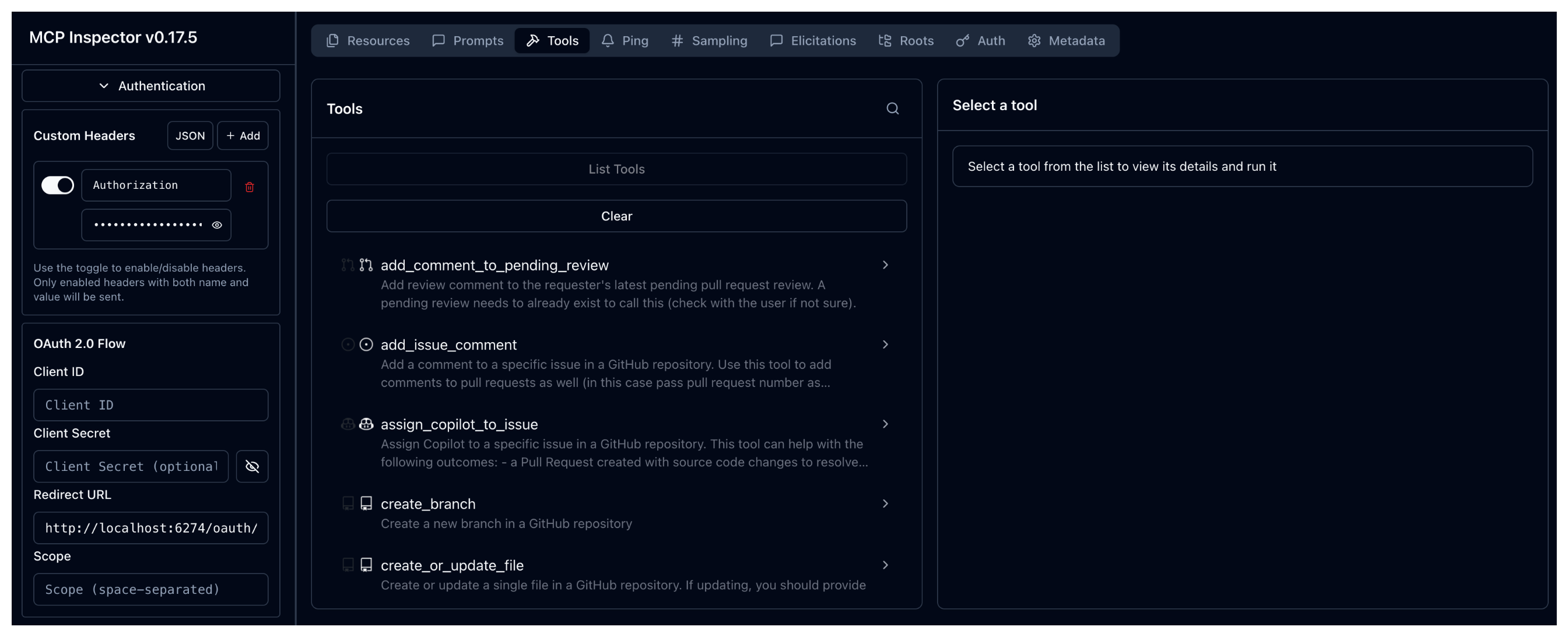
Verify that the connection now succeeds because a valid token was provided in an
Authorizationheader to your agentgateway proxy: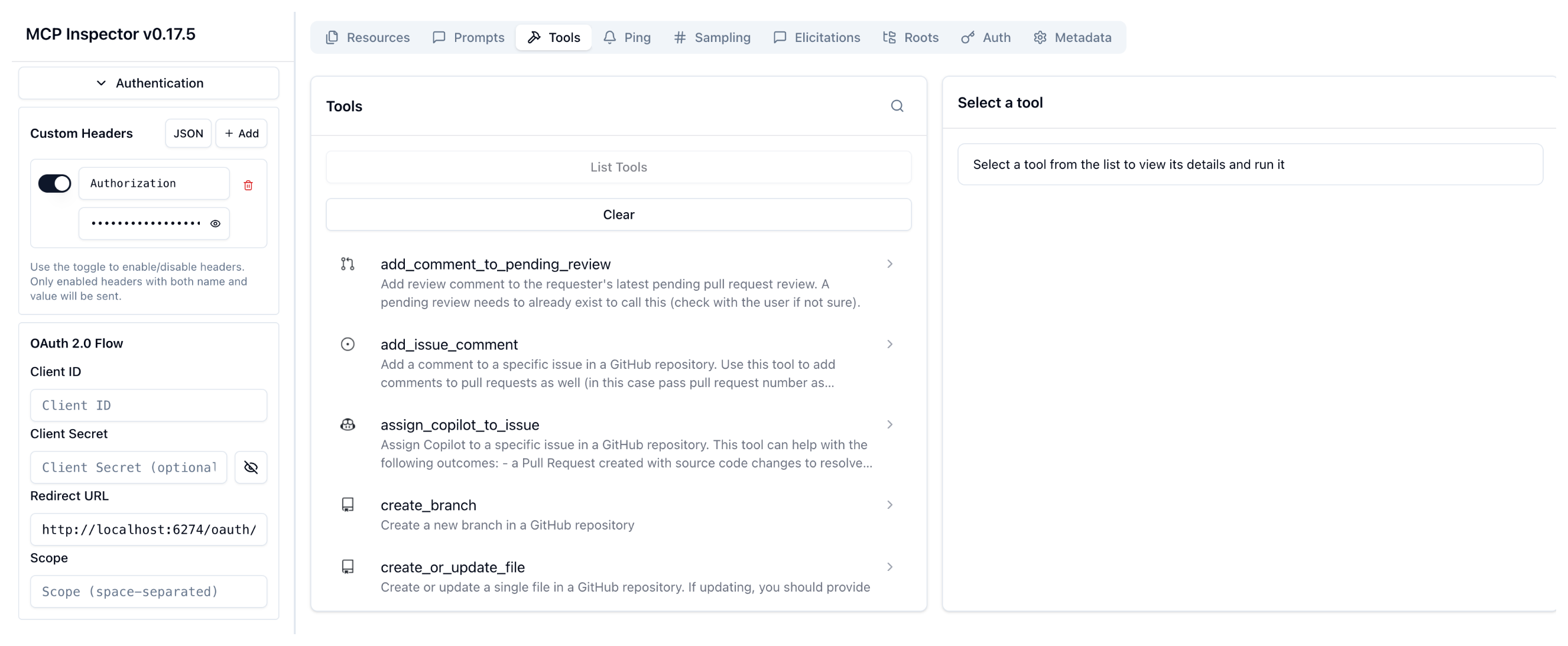
-
Limit tool access
-
Create an AgentgatewayPolicy with your RBAC rules for the MCP tools. In the following example, you only want to allow access to the
get_metool if the JWT has asubofalice.kubectl apply -f- <<EOF apiVersion: agentgateway.dev/v1alpha1 kind: AgentgatewayPolicy metadata: name: jwt-rbac namespace: agentgateway-system spec: targetRefs: - group: agentgateway.dev kind: AgentgatewayBackend name: github-mcp-backend backend: mcp: authorization: action: Allow policy: # Any of these conditions will allow access (OR logic) matchExpressions: - 'jwt.sub == "alice" && mcp.tool.name == "get_me"' EOF -
Try to access tools on the MCP server.
-
Try to access the
get_metool with Alice’s JWT token. Verify that the request succeeds and you can access the tool.npx @modelcontextprotocol/[email protected] \ --cli http://localhost:8080/mcp-github \ --transport http \ --header "mcp-protocol-version: 2024-11-05" \ --method tools/call \ --tool-name get_me \ --header "Authorization: Bearer $ALICE_JWT"Example output:
{ "content": [ { "type": "text", "text": "{\"login\":\"MyUser\",\"id\":11234567,\"profile_url\":\"https://github.com/MyUser\",\"avatar_url\":\"https://avatars.githubusercontent.com/u/11234567?v=4\",\"details\":{\"name\":\"My User\",\"company\":\"Solo.io\",\"public_repos\":11,\"public_gists\":1,\"followers\":1,\"following\":0,\"created_at\":\"2016-03-07T18:33:49Z\",\"updated_at\":\"2025-12-08T19:38:04Z\"}}" } ] } -
Try to access a different tool, such as
search_repositories. Verify that the request fails, because this tool is not allowed in your AgentgatewayPolicy.npx @modelcontextprotocol/[email protected] \ --cli http://localhost:8080/mcp-github \ --transport http \ --header "mcp-protocol-version: 2024-11-05" \ --method tools/call \ --tool-name search_repositories \ --header "Authorization: Bearer $ALICE_JWT" \ --tool-arg query="user:facebook"Example output:
Failed to call tool search_repositories: Streamable HTTP error: Error POSTing to endpoint: {"jsonrpc":"2.0","id":2,"error":{"code":-32603,"message":"failed to send message: unauthorized tool call"}} -
Try to access the
get_metook with Bob’s JWT token. Verify that the request fails, because the token does not have thesub=aliceclaim.npx @modelcontextprotocol/[email protected] \ --cli http://localhost:8080/mcp-github \ --transport http \ --header "mcp-protocol-version: 2024-11-05" \ --method tools/call \ --tool-name search_repositories \ --header "Authorization: Bearer $BOB_JWT" \ --tool-arg query="user:facebook"Example output:
Failed to call tool search_repositories: Streamable HTTP error:
Error POSTing to endpoint: {"jsonrpc":"2.0","id":2,"error":{"code":-32603,"message":
"failed to send message: unauthorized tool call"}}
-
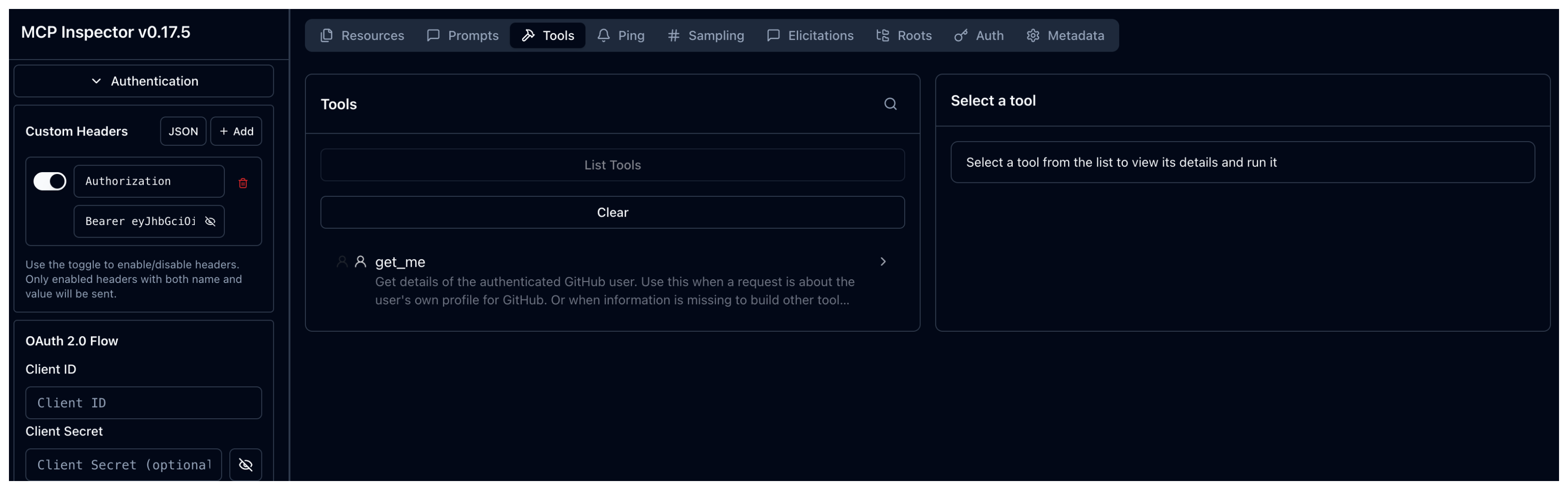
Go to the MCP inspector tool, and re-connect with Alice’s token. From the Tools tab, click Clear. Then click List Tools. Verify that you can now only see the
get_metool that you authorized in your AgentgatewayPolicy.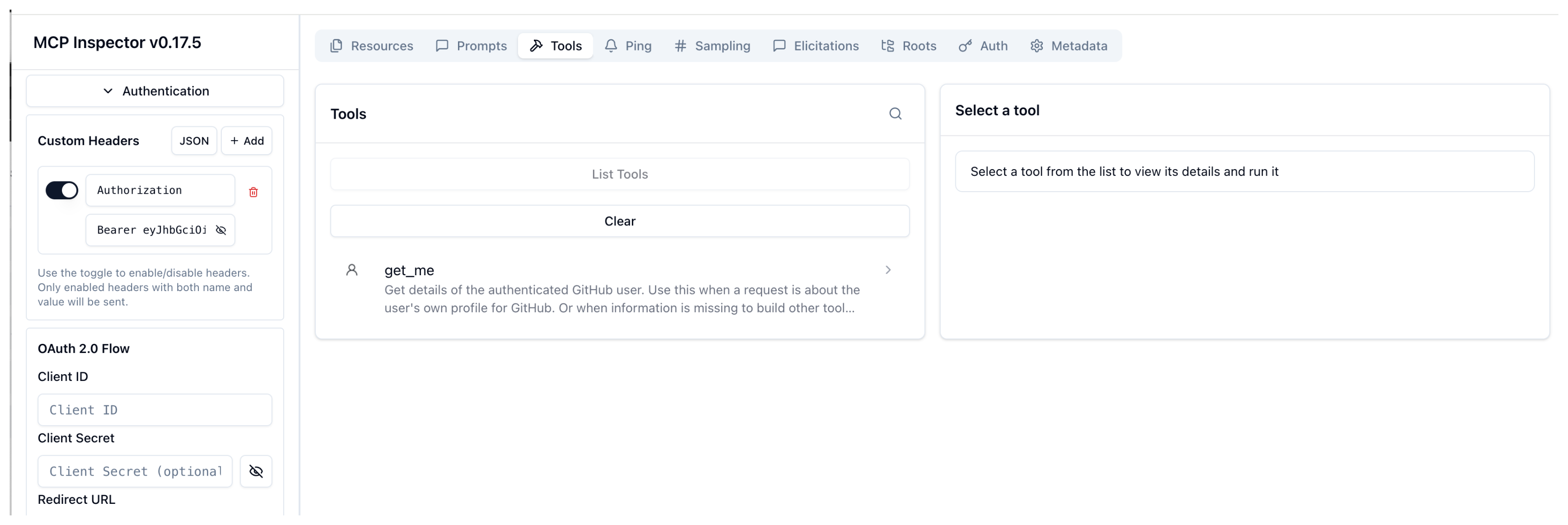
-
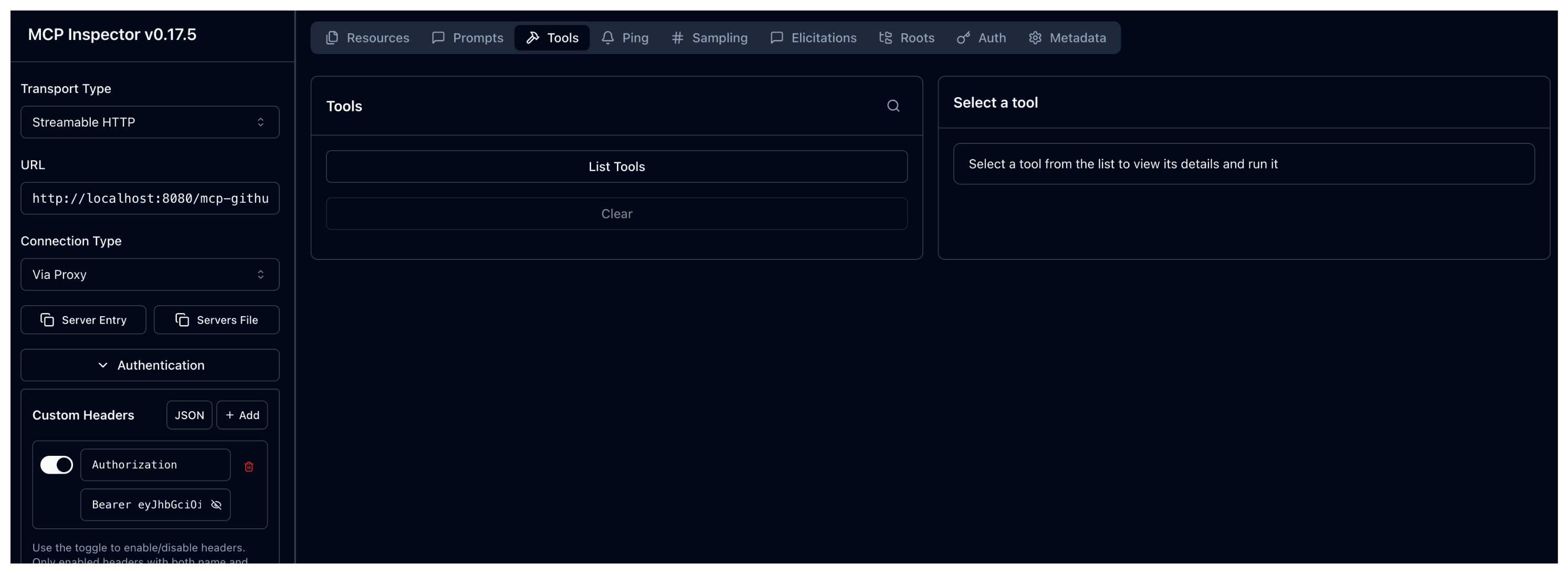
Go back to the MCP inspector tool. In the Authentication > Custom Headers card enter the JWT token for Bob. Then, click Re-connect.
Bearer eyJhbGciOiJSUzI1NiIsImtpZCI6IjU4OTE2NDUwMzIxNTk4OTQzODMiLCJ0eXAiOiJKV1QifQ.eyJpc3MiOiJzb2xvLmlvIiwic3ViIjoiYm9iIiwiZXhwIjoyMDczNjcwNDgyLCJuYmYiOjE3NjYwODY0ODIsImlhdCI6MTc2NjA4NjQ4Mn0.ZHAw7nbANhnYvBBknN9_ORCQZ934Vv_vAelx8odC3bsC5Yesif7ZSsnEp9zFjGG6wBvvV3LrtuBuWx9mTYUZS6rwWUKsvDXyheZXYRmXndOqpY0gcJJaulGGqXncQDkmqDA7ZeJLG1s0a6shMXRs6BbV370mYpu8-1dZdtikyVL3pC27QNei35JhfqdYuMw1fMptTVzypx437l9j2htxqtIVgdWUc1iKD9kNKpkJ5O6SNbi6xm267jZ3V_Ns75p_UjLq7krQIUl1W0mB0ywzosFkrRcyXsBsljXec468hgHEARW2lec8FEe-i6uqRuVkFD-AeXMfPhXzqdwysjG_og -
From the Tools tab, click Clear. Then click List Tools.
Verify that you cannot see any tools. Bob’s JWT token does not contain the
sub=aliceclaim that is required to access theget_metool. Because no other matching condition is found in the RBAC rules that you defined in the AgentgatewayPolicy, access to all tools is denied.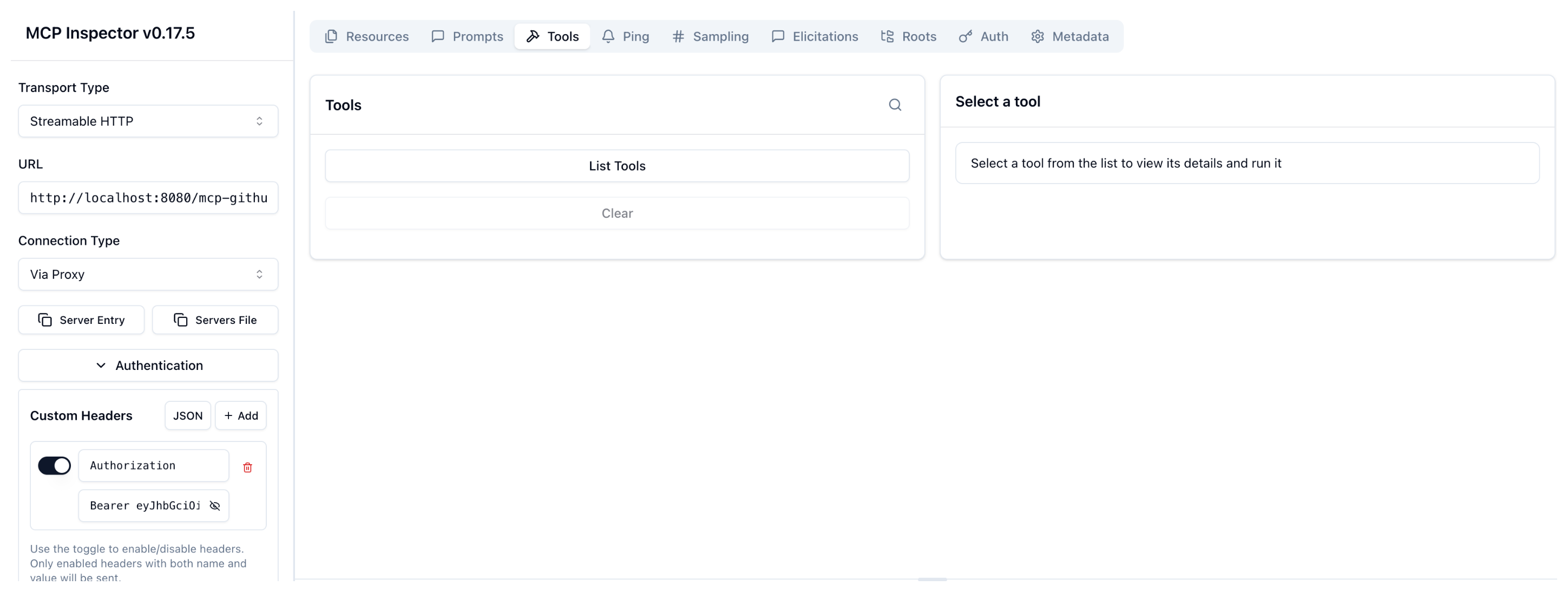
-
Cleanup
You can remove the resources that you created in this guide.kubectl delete AgentgatewayBackend github-mcp-backend -n agentgateway-system
kubectl delete HTTPRoute mcp-github -n agentgateway-system
kubectl delete AgentgatewayPolicy jwt -n agentgateway-system
kubectl delete AgentgatewayPolicy jwt-rbac -n agentgateway-system